
Music Sharing
Send a song with one link that opens its own page, and share what you're listening to with the community.
What you can do
A page for every song
Share a song from the charts and the link opens its own page for anyone, with or without an account: the song, its player, and an upvote.
Share cards
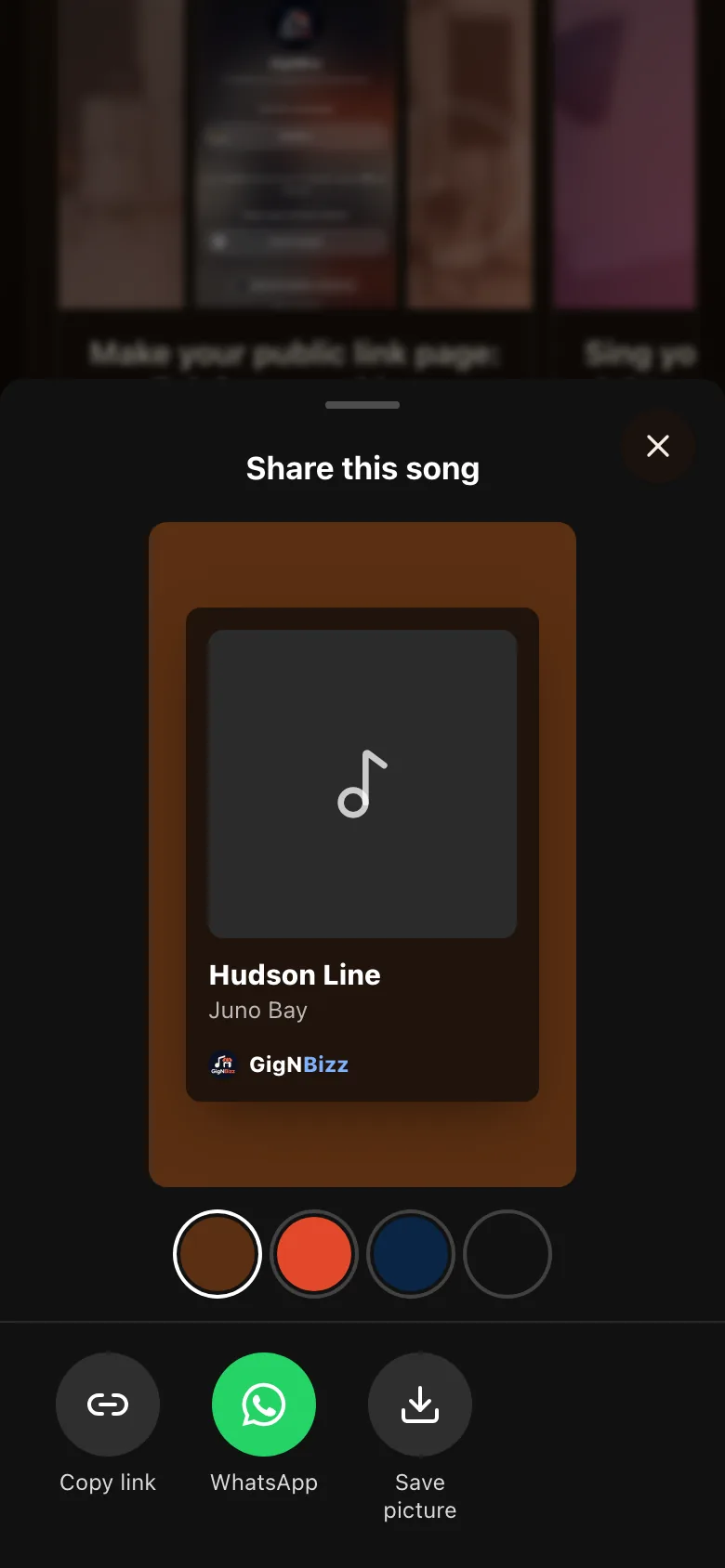
Make a card for the song to post anywhere, on its own cover or a solid color, like Spotify's.
The Music Room
One big room in Messages where members share the song they're listening to, one an hour, and the most loved sits on top.
How it works
Step 1: Find a song
On Home's charts, or in the player at the bottom of the screen.
Step 2: Tap Share
Copy the link, or make a card to post.
Step 3: Send it
Chat apps show the song's cover and name with the link.
Step 4: They listen
The link opens the song's page, where they can play it and upvote it.
Questions, answered
Does the person I send a song to need an account?
No. The link opens the song's own page for anyone, signed in or not.
Which music services work?
Songs from Spotify, Apple Music, and SoundCloud.
How do I share my own new song?
Musicians share a new release from Spotify, Apple Music, or SoundCloud. GigNBizz checks it, then it goes up in Newest Songs for the whole community.
What is the Music Room?
A chat pinned in Messages just for music: verified members share one song an hour, with a short note of up to 20 words. Song of the Day, the most-loved share of the last day, stays on top.
Do I get anything for sharing?
Sharing in the Music Room earns GigNBizz Points, and someone who joins from a song link you sent counts as your invite.
Free to join.
Music Sharing and everything else on GigNBizz, for music lovers and small artists alike.