

Song Covers
Sing the songs you love, right in the app, and put them on your page for everyone who stops by.
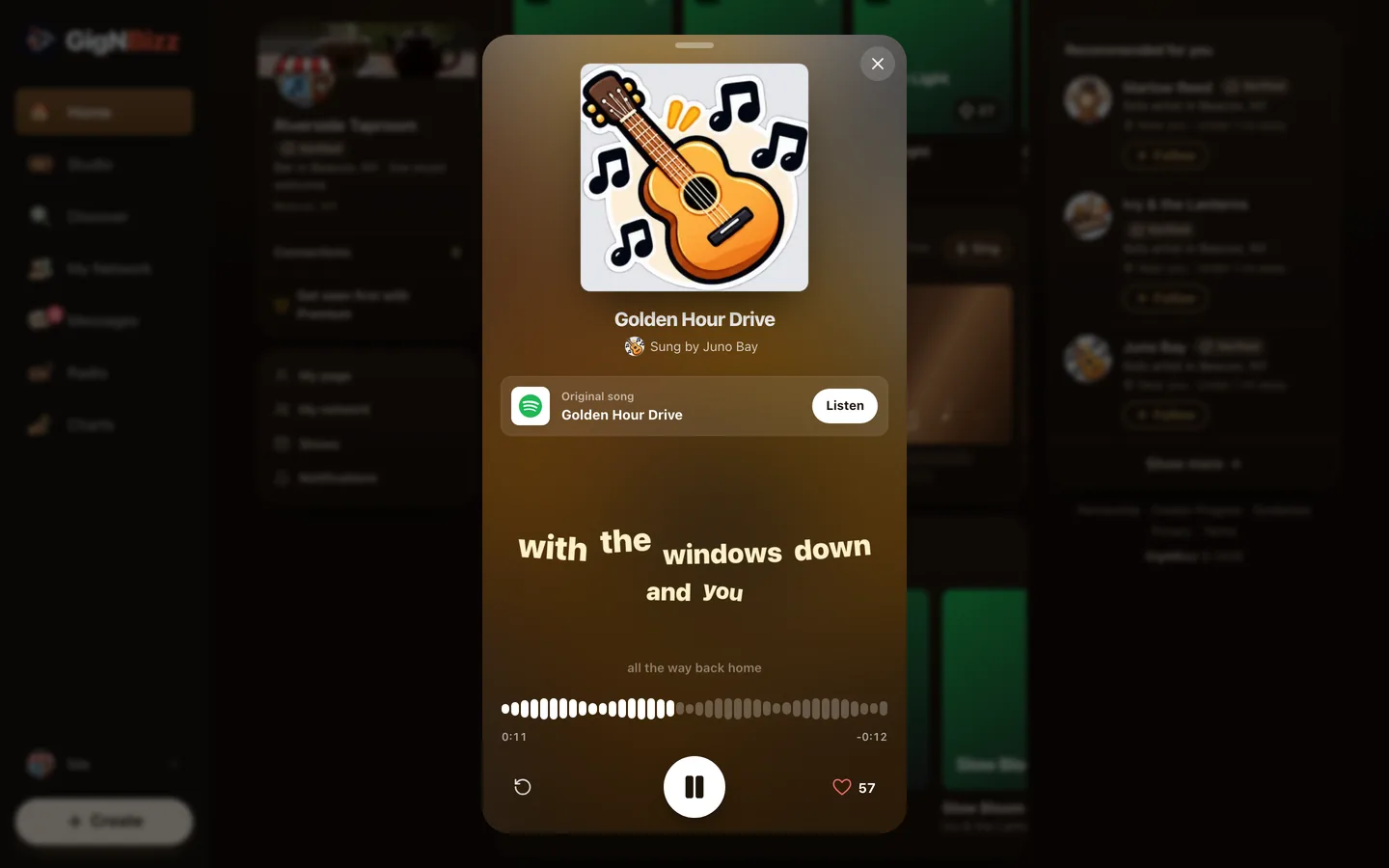
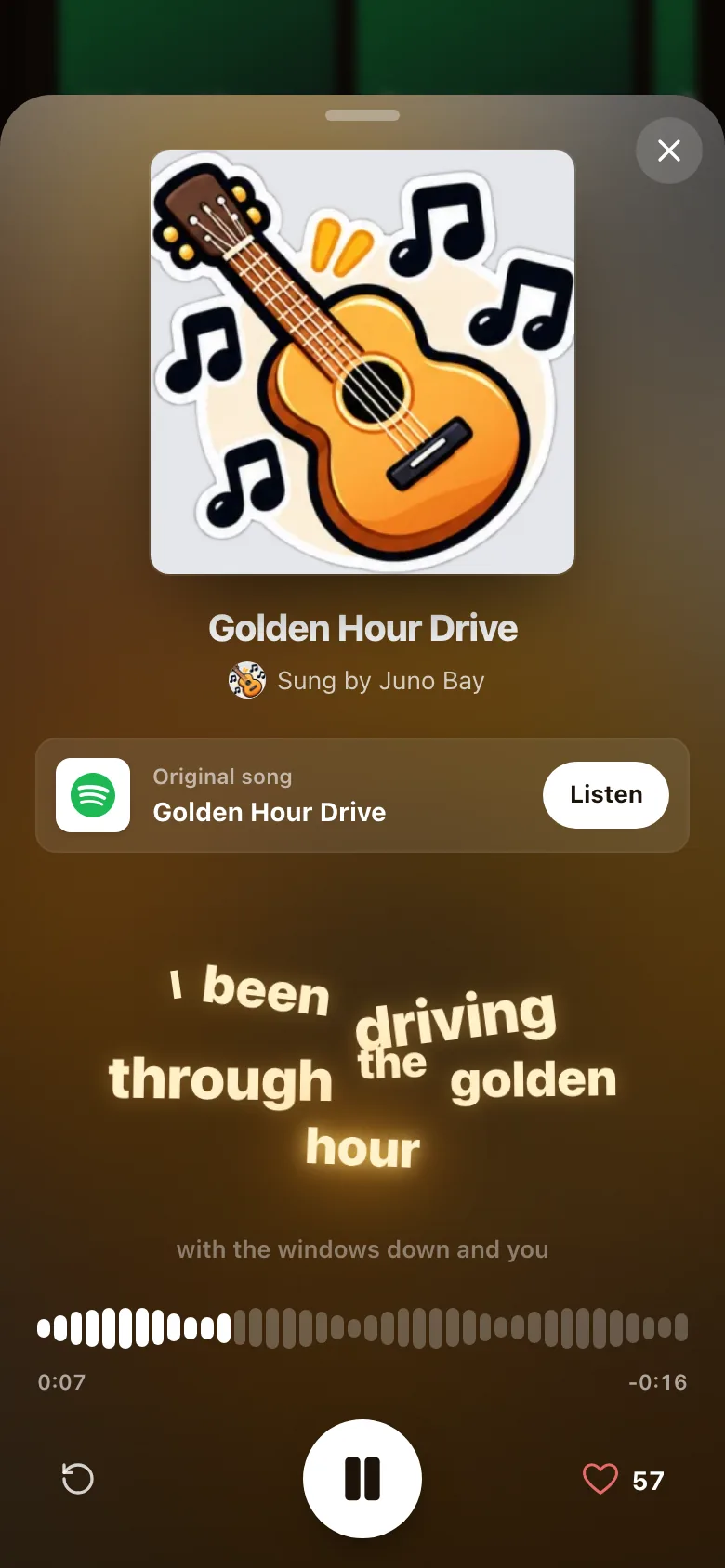
What you can do
Sing any song
Paste the song's Spotify, Apple Music, or SoundCloud link, then record yourself singing it, no studio needed.
Listeners sing along
When the words can be made out, each one lights up as you sing it, karaoke style.
Keep the good takes
Save up to 20 drafts and post the one that feels right. Your covers stay on your page, collecting hearts.
How it works
Step 1: Pick your song
Paste its link from Spotify, Apple Music, or SoundCloud.
Step 2: Sing it
Record up to 30 seconds, or a full minute with GigNBizz Plus or Premium.
Step 3: Post it or keep it
Put it on your page, or keep it in Drafts for later.
Step 4: Share it to Home
Tap Share and, after a quick listen from GigNBizz, it joins Song Covers on Home.
Questions, answered
Who can post song covers on GigNBizz?
Every member, for free: music lovers and musicians alike. You can have up to 20 covers on your page.
How long can a song cover be?
Up to 30 seconds, or 60 seconds with GigNBizz Plus or Premium.
What do people see when they play my cover?
Your picture, the song, and you singing it. GigNBizz writes down the words you sing, so when they can be made out, each word lights up as you sing it, karaoke style.
Can I film my cover?
Yes, in the Studio's Vocal Booth. Turn on Video and the front camera films you while you sing; afterward the take becomes a 9:16 video on your Tape shelf, on your device, ready to post or share. The video isn't uploaded.
Does everyone see my cover right away?
Everyone who visits your page does. To put it in Song Covers on Home, tap Share on it: GigNBizz takes a quick listen first.
Can I practice before I record?
Yes. Vocal Training (Sing in Tune and the Vocal Range Finder) is free and runs on your own device.
Free to join.
Song Covers and everything else on GigNBizz, for music lovers and small artists alike.