Beat Burst is a free live drum visualizer that runs in your browser. Open gignbizz.com/play/beat-burst, allow your mic and camera, and play something real: drums, a guitar strum, claps, even a hand on the table. Every hit your mic hears bursts music notes out of your hands on the camera picture, the moment you play it, while the screen counts your hits and finds your tempo. Most music visualizers work on a finished track. This one reacts while you play. Here's how it hears a hit, how to set it up, what to make with it, and how it compares with other ways to visualize drumming.
TL;DR
- Beat Burst is for playing a real instrument, not tapping virtual drum pads. It makes no sound of its own.
- Your mic hears each hit, and music notes burst out of your hands on your webcam picture right away. No camera? Mic only works too.
- It shows a hit counter and your tempo in BPM, worked out from your last 8 seconds of playing.
- It listens for sudden jumps in loudness across low, mid and high sounds, so kicks, snares, hi-hats, strums and claps all count.
- Members can record a 9:16 clip of up to a minute for TikTok, Reels or Shorts. No watermark is added.
- For best results: a quiet room, the device a few steps from loud drums, and any backing track in headphones.
- Everything runs on your device. Nothing is uploaded.
Table of contents
- What Beat Burst is, and what it isn't
- How live hit detection works
- How to use Beat Burst, step by step
- A worked example: a one-minute practice clip
- What to make with it
- Tips for clean hits
- How it compares with other visualizers
- Privacy: your camera and mic
- FAQ
What Beat Burst is, and what it isn't
Beat Burst is a station in the GigNBizz Studio that anyone can play for free on its own page. You play a real instrument. The mic hears every hit. Music notes burst out of your hands on the camera picture, mirrored like a selfie, so it looks like the notes are flying off your sticks or your strumming hand.
A few things it isn't:
- Not a drum machine or virtual drum pads. It adds no sound. What you hear is what you play.
- Not a music-video maker for finished tracks. It doesn't need a song file. It reacts to sound as it happens.
- Not a note reader. It hears when you hit and roughly what kind of hit it was (low, mid or high). It doesn't know which chord you strummed or which tom you hit.
We built it because we couldn't find this anywhere else. When we searched in November 2026 for a ready-made tool that puts notes on a live webcam picture on each hit of an acoustic instrument, we found practice grids that need an electronic kit and music-video makers that work on a finished file, but not this. If you know of one, we'd honestly like to hear about it.
How live hit detection works
A hit, to a microphone, is a sudden jump in loudness: the crack of a snare, the thump of a kick, the scratch of a strum. Sound engineers call the start of a sound its onset. Wikipedia notes that simply watching for rises in overall loudness is easy but often gives false hits or misses, and that detectors aimed at percussive sounds work better. So Beat Burst listens more carefully than that.
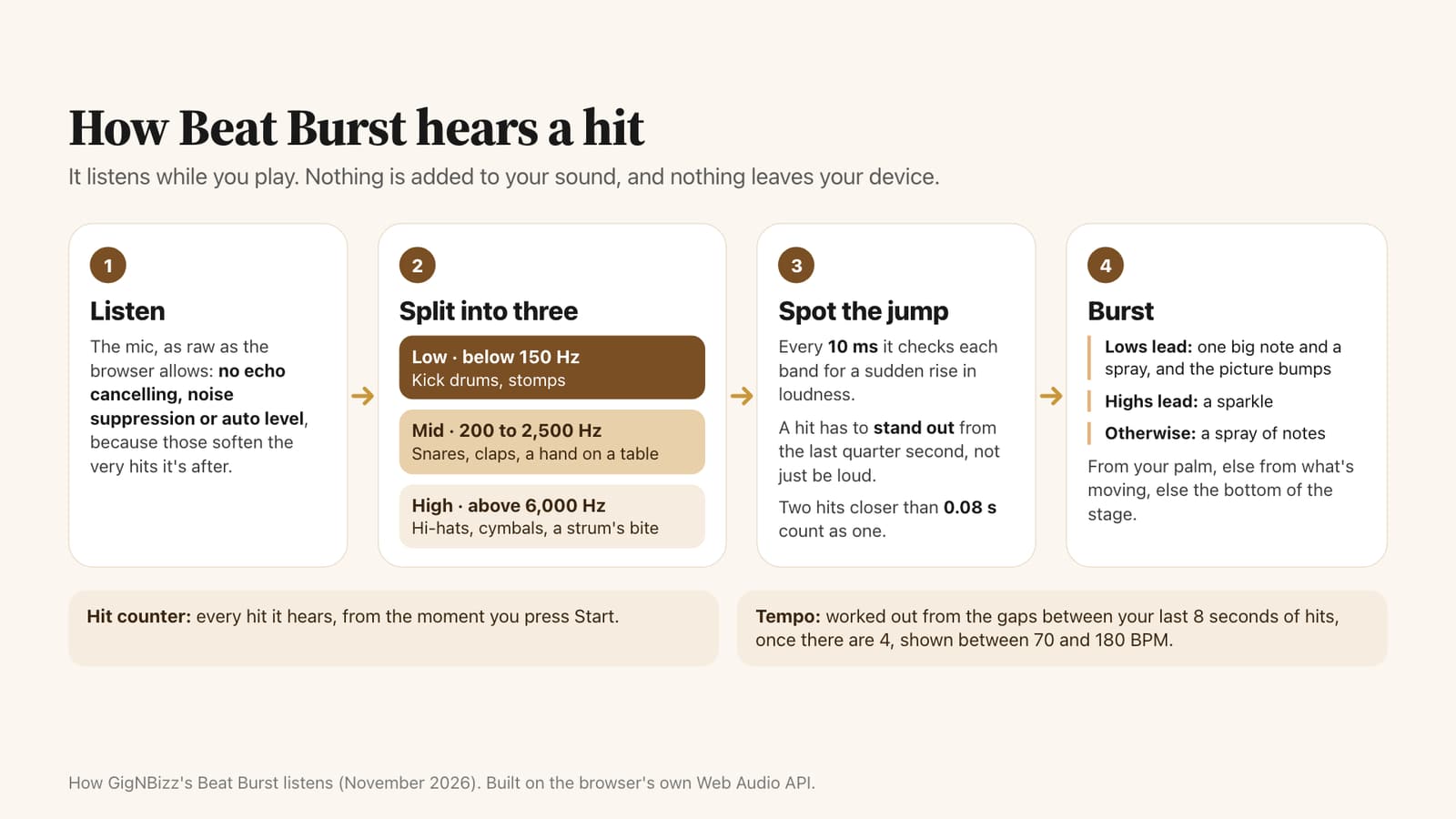
- It listens to the raw mic. Browsers usually clean up a mic for video calls with echo cancelling, noise suppression and automatic level control. Those soften exactly the sharp attacks Beat Burst is listening for, so it asks the browser to turn them off. It uses the browser's own Web Audio API, and the mic is never played back out of your speakers.
- It splits the sound into three. Filters separate low sounds (below 150 Hz: kick drums, stomps), mid sounds (200 to 2,500 Hz: snares, claps, a hand on a table) and high sounds (above 6,000 Hz: hi-hats, cymbals, the bite of a strum).
- It looks for sudden jumps. Every 10 milliseconds, it measures how loud each band is and how much it just rose. A hit has to stand out from the average of the last quarter second, and be big compared with the loudest you've played lately, so steady hiss or a hum can't add up to one. Two hits closer than 0.08 seconds count as one (a flam, or one hit ringing).
- It bursts. A hit led by the lows, like a kick drum, gets one big note and a spray of small ones, and the picture gives a little bump. A hit led clearly by the highs, like a hi-hat, gets a sparkle. Anything else, like a snare or a clap, gets a spray. A harder hit makes a bigger burst.
- It places the notes. With the camera on, the browser finds your hands (with Google's MediaPipe Hand Landmarker), and the notes come from the palm nearest the bottom of the picture. Two hands at about the same height take turns. If no hand is in view, the notes come from wherever the picture is moving most, like a swinging arm. With Mic only, they rise from the bottom of a dark stage.
The tempo comes from the gaps between your hits over the last 8 seconds. Each gap votes for a tempo, and the most-voted one wins once there are at least 4 hits. It's folded into 70 to 180 BPM, so eighth notes on a hi-hat and quarter notes on a kick agree. That also means a slow groove with busy eighth notes can read as double time, and the number lets go a little while after you stop playing.
| What you play | Band that leads | What bursts |
|---|---|---|
| Kick drum, stomp, floor tom | Low | One big note and a spray, and the picture bumps |
| Snare, clap, cajón slap, hand on a table | Mid | A spray of notes |
| Hi-hat, ride, shaker | High | A sparkle |
| Guitar or ukulele strum, piano chord | Usually mid, sometimes high | A spray or a sparkle on each strum or chord |
How to use Beat Burst, step by step
- Open gignbizz.com/play/beat-burst on a computer or phone, in an up-to-date browser.
- Set up the camera. Prop your phone or laptop where it sees your hands while you play: in front of a drum kit at about chest height, or facing your strumming hand on a guitar.
- Press Start and allow the mic and camera. No camera, or don't want it? Press "No camera? Mic only."
- Play something. The screen says "Play something: a drum, a strum, the table." until your first hit. Then the hit counter starts, and after a few hits your BPM appears at the top.
- Watch the mic meter at the top right. It should jump with each hit. If the screen says "We can't hear anything. Check your mic," it has heard silence for 3 seconds: check that the right mic is chosen and allowed.
- Record (members). In your Studio, press Record to make a clip of up to a minute. It's saved on your device on your Tape shelf.
Hand tracking loads in the background after you press Start. Until it's ready, or if it can't load on your device, the notes follow your movement instead. If your device is set to reduce motion, each hit shows a soft flash and one drifting note in place of a full burst.
A worked example: a one-minute practice clip
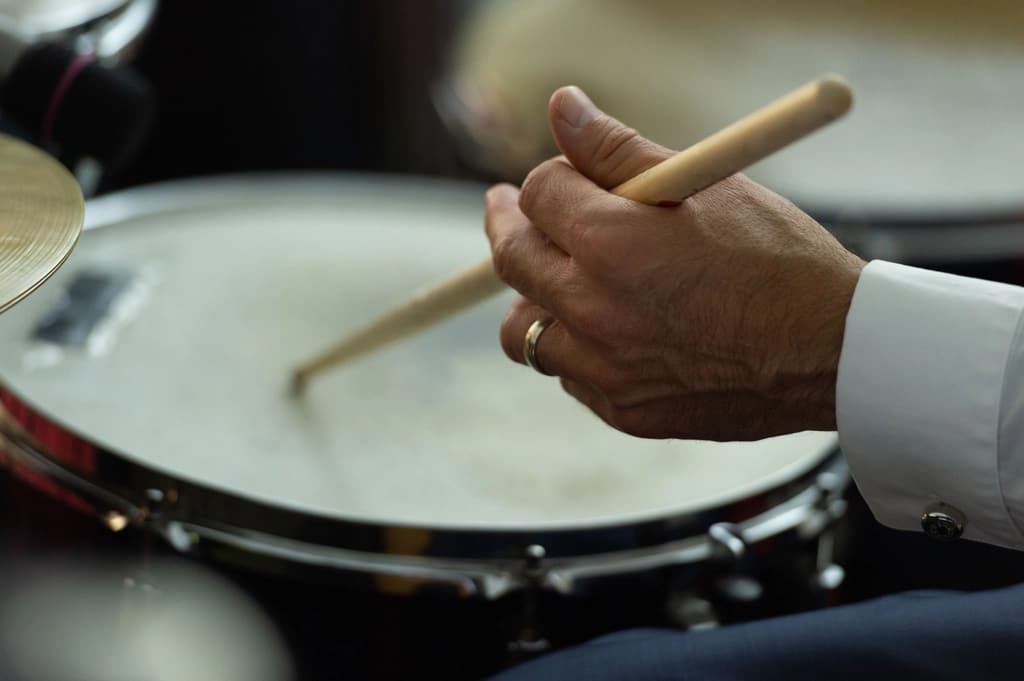
Say you're a drummer working on a basic rock beat at 100 BPM, with eighth notes on the hi-hat, the kick on beats 1 and 3, and the snare on 2 and 4. Here's what a one-minute clip looks like.
| Part | What you play | What Beat Burst shows |
|---|---|---|
| Count-off | Four clicks of the sticks | 4 hits, and the first BPM reading |
| 16 bars of the groove (about 38 seconds) | 8 hi-hat strokes a bar; the kick and snare land with a hat stroke | About 8 hits a bar, 128 in all, since a kick or snare that lands with a hat in the same instant is one hit. The kick strokes usually get the big note and the bump. BPM near 100 |
| A two-bar fill | Sixteenth notes around the toms | A burst on every stroke: at 100 BPM they're 0.15 seconds apart, well over the 0.08-second minimum |
| Back to the groove, then a crash | The groove, ending on a crash and kick | A last big burst, and the clip ends at one minute or when you press Record again |
Play it back and watch the BPM in the corner. If it creeps up during the fill and stays there, you rushed. Do the same clip every day for a week and you've got a practice log you can actually see.
What to make with it
- Practice videos. A daily one-minute clip with your tempo in the corner shows progress better than any notebook.
- Short clips for TikTok, Reels and Shorts. Clips come out tall (9:16), so they fit those apps without cropping. Try a "groove of the week," a drum cover snippet, or "guess the song from the beat."
- Tabletop and kitchen beats. No kit needed. A table, two pens and a mug make a fine percussion section, and the notes make it look like a show.
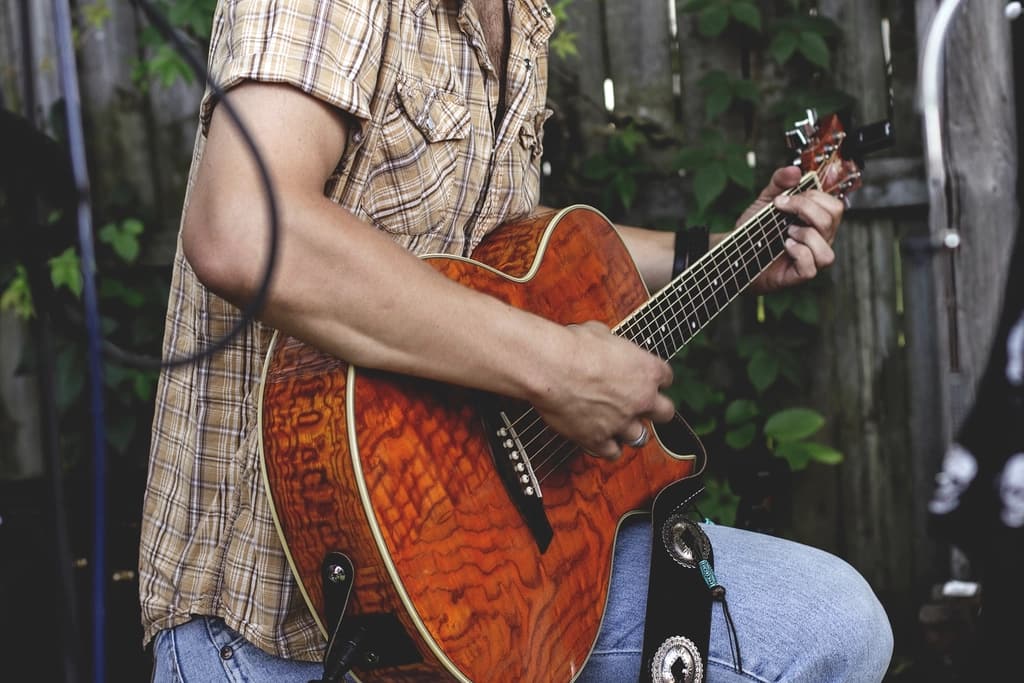
- Strumming patterns. Film your strumming hand on guitar or ukulele so every down and up strum bursts. It's a clear way to teach a pattern.
- Lessons. Teachers can show students when they rush or drag, with the BPM right there on screen.
- Play-alongs. Put a song in your headphones and play along. A recorded clip's sound is only your mic, so the song in your ears isn't in the clip.
Tips for clean hits
- Mic placement. Most people use the mic built into the phone or laptop, and that's fine. Point the device at the instrument and keep it clear of things that rattle. With a loud acoustic kit, put it a few steps back rather than right next to the snare: a mic that's overwhelmed hears one wall of sound, and separate hits blur together.
- A quiet room. Beat Burst ignores a steady hum or hiss, but a sudden noise (a door, a dog, a dropped phone) is a hit too. A fan or TV in the background can also hide your quieter strokes.
- Why headphones help. To hear your hits fully, Beat Burst asks the browser to turn off echo cancelling. As MDN describes it, echo cancelling is what removes sound your own device plays from what the mic picks up. With it off, a backing track or metronome from your speakers would be heard as hits too. Play them in headphones and only your instrument counts.
- Light and framing. For hand tracking, light your hands from the front and keep them in the picture. If your hands are hidden behind a kit, the notes follow your movement instead, which also looks good.
- Close other apps using the mic, like a video call. If the mic is busy elsewhere, Beat Burst says so.
- Play with clear attacks. Soft brushes or swelling pads have no sharp start, so they give fewer bursts. That's the nature of hit detection, not a fault with your playing.
How it compares with other visualizers
There are good tools for visualizing music. Most of them do a different job. Here's a fair comparison.
| Approach | What it reacts to | Live while you play? | What you need | Best for |
|---|---|---|---|---|
| Beat Burst | Each hit your mic hears, drawn on your camera picture | Yes | A browser, a mic, and optionally a camera. Any acoustic instrument | Practice clips and short videos of real playing |
| MIDI visualizers and practice grids | MIDI notes from an electronic kit or keyboard | Yes | An electronic kit or MIDI instrument, a cable and an app | Seeing exactly which pad or key you hit, and timing practice |
| Audio-reactive and AI music-video makers | A finished audio file | No, they render afterward | A finished track, an upload, and often an account or credits | Visuals for a release or a lyric video |
| OBS Studio with audio-reactive add-ons | The level or spectrum of an audio source | Yes | OBS installed, a scene set up, and third-party plugins or scripts | Livestreams with full control of the layout |
| Editing effects by hand | Whatever you mark on the timeline | No | A video editor and time | Polished one-off edits |
If you own an electronic kit and want to see every pad exactly, a MIDI visualizer is more precise than any mic can be. If you stream, OBS Studio is free, open source and endlessly flexible. Beat Burst's spot is the moment you want to grab an acoustic instrument, press one button and get a clip that looks alive, with no setup.
Privacy: your camera and mic
- Everything runs in your browser, on your device: the mic, the camera, the hand tracking and the notes.
- The mic only listens for hits, and the camera only places the notes. Nothing is uploaded or sent anywhere.
- The browser asks first. Per MDN, a page must get your permission before it opens a camera or mic.
- Nothing is recorded on the free page. When you leave, the mic and camera switch off.
- In the members' Studio, a clip is recorded only when you press Record, and it's kept on your device on your Tape shelf until you choose to post or share it.
Our perspective
Small artists are told to post video every day, and most of the tools for making music videos assume you already have a finished, mixed track. But most of the time, what you have is a drum kit, a guitar, or a table, and ten minutes.
We think the playing itself should be the content. Beat Burst doesn't fix your timing or add a beat. It shows what you actually played, hit by hit, and makes it fun to watch. That's honest, and it's the kind of clip people stop scrolling for.
Play, record and share with GigNBizz
GigNBizz is a free music community for music lovers and small artists: discover and share new songs, sing song covers, and promote your own music on community charts. Beat Burst is one of the stations in the GigNBizz Studio, our music creative playground.
- Play free, signed out, at gignbizz.com/play/beat-burst.
- Join free to record. In your Studio, Record makes a 9:16 video clip of up to a minute, with your mic as the sound and your tempo in the corner, and no watermark.
- Play in the air. The Air Instrument turns your webcam into a gesture instrument: raise your hand to play notes and chords.
- Sing. The Vocal Booth records song covers, and Live-Proof shows you really sing it live.
See the GigNBizz FAQ for more.
FAQ
Is there a live drum visualizer that works with a webcam?
Yes. GigNBizz's Beat Burst at gignbizz.com/play/beat-burst is free, runs in your browser and needs no account. It listens through your mic, and every hit you play bursts music notes out of your hands on your camera picture the moment you play it. It also shows a hit counter and your tempo in BPM.
How does Beat Burst detect drum hits?
It splits what your mic hears into low, mid and high sounds, checks each one every 10 milliseconds, and counts a hit when the loudness jumps suddenly and stands out from the last quarter second. Two hits closer than 0.08 seconds count as one. A hit led by the lows, like a kick drum, gets one big note and a spray; a hit led by the highs, like a hi-hat, gets a sparkle.
Does it work with guitar and other instruments?
Yes, with anything that has a clear hit: a guitar or ukulele strum, a piano chord, a cajón, claps, stomps, or a hand on a table. It reacts to the attack of each sound, not to the notes or chords you play, so a long, smooth note gives one burst at its start.
Does Beat Burst need a camera?
No. Choose Mic only and the notes burst from the bottom of a dark stage. With the camera on, they burst out of your hands, or from wherever you're moving if your hands aren't in view.
Can I make drum videos for TikTok with it?
Yes, with a free GigNBizz account. In your Studio, Record makes a 9:16 video clip of up to a minute, with your mic as the sound, the notes bursting on every hit and your tempo in the corner. No watermark is added. It's saved on your device on your Tape shelf, ready to post wherever you like.
Does Beat Burst add drum sounds or effects to my audio?
No. It makes no sound at all. What you hear, and what a recorded clip contains, is only what your mic picks up from your own playing.
Is my camera or mic recorded?
No. Both are used on your device only, to hear the hits and place the notes. Nothing is recorded on the free page, and nothing is uploaded. In the members' Studio, a clip is recorded only when you press Record.
Sources
- Wikipedia: Onset (audio)
- MDN Web Docs: Web Audio API
- MDN Web Docs: BiquadFilterNode
- MDN Web Docs: MediaDevices.getUserMedia()
- MDN Web Docs: MediaTrackConstraints echoCancellation
- Google AI Edge: MediaPipe Hand Landmarker task guide
- OBS Studio home page
- GigNBizz Beat Burst, how it listens (checked against the station on Nov. 11, 2026)
Photos: rawpixel (CC0); drumstick photo by the U.S. Embassy New Zealand via rawpixel (CC0). Chart: GigNBizz.