
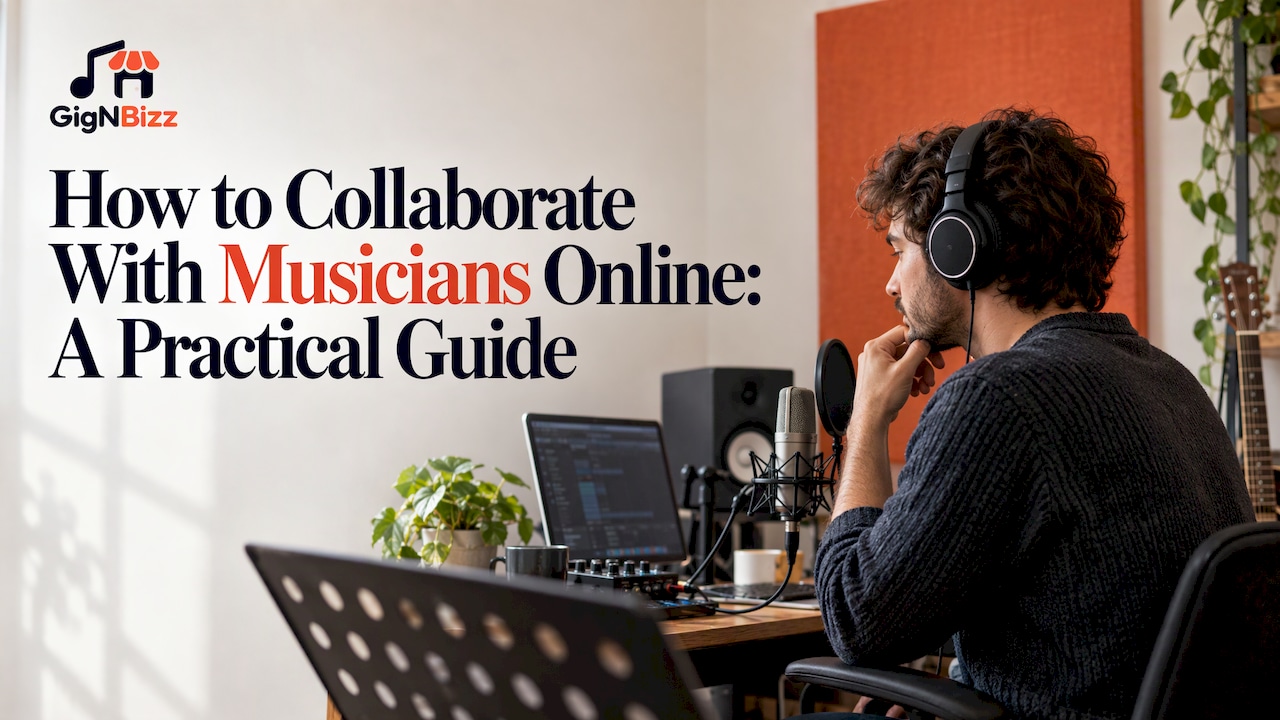
You can collaborate with musicians online in two ways: play together live over low-latency software, or trade recordings and feedback through shared folders. Most finished tracks come from the second way. The harder part is usually not the technology. It is finding someone reliable who fits your taste, and agreeing in writing on who owns what before the song exists. This guide covers where to find collaborators, how to approach them, which workflows hold up, and how to protect your work.
TL;DR
- Contribute to a community for a few weeks before you pitch anyone, then pitch with a short, specific brief.
- For most projects, send stems through a shared cloud folder. Use live software only when you need to feel a performance together.
- Give timestamped feedback and name one contact person per side.
- Under US copyright law, joint authors share equal ownership by default, so put your splits in writing before you release.
- Turn online partnerships into local ones: a finished track is a strong calling card for gigs.
Table of Contents
- How online music collaboration works
- Where to find musicians to collaborate with
- How to approach a collaborator
- Tools and workflows that hold up
- Give feedback that moves the song forward
- Protect your work before you release
- Turn online collaborations into finished tracks and local gigs
- Our perspective
- Find collaborators and gigs on GigNBizz
- FAQ
- Sources
How online music collaboration works
Remote collaboration comes down to two modes.
Asynchronous work is the everyday mode. One person records a part, bounces it as a file, and sends it. The other adds to it and sends it back. A guide from Ultimate Ears Pro describes this loop as sending a few options, waiting hours or days for feedback, revising, and sending again. It is slower than a room session, but it lets people in different time zones work on the same song.
Real-time work means playing together over the internet. The same guide notes that free open-source platforms such as Jamulus and Jamtaba are built around reducing audio latency, which is what makes playing together feel close to being in the same room. It recommends a wired connection rather than Wi-Fi, an audio interface or USB microphone instead of a built-in mic, and servers with low ping times.
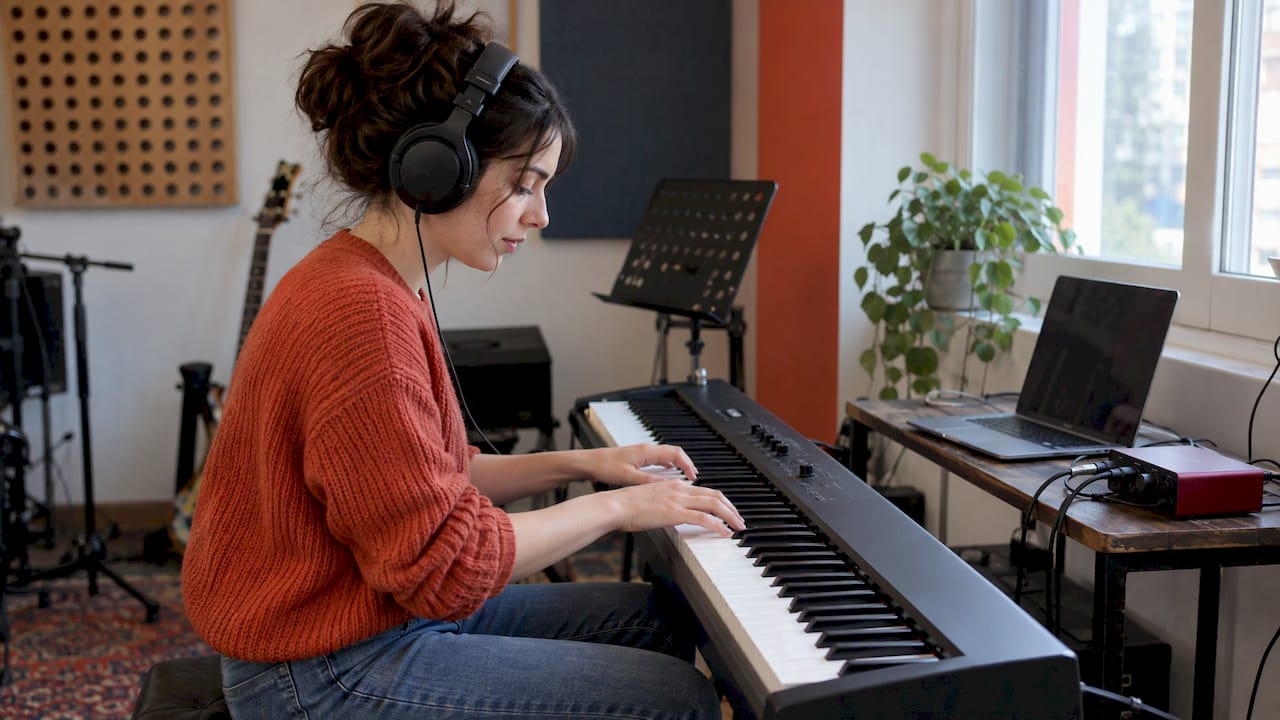
What can you make this way? Nearly anything built from layers: a vocal on a producer’s beat, a guitar part for a demo, a remix, a harmony stack, a co-written song where lyrics and melody trade hands, or a cover that pairs two voices. Live-feel genres like jazz improvisation are the ones that benefit most from real-time tools. Studio-style pop, hip-hop, and singer-songwriter work usually travels better as files.
Where to find musicians to collaborate with
The best collaborators are rarely strangers you cold-message once. They are people you have seen around.
A few places that work:
- Music communities built around a purpose. Platforms where musicians post profiles, songs, and available gigs let you hear someone before you write to them. That beats a blind message.
- Local scenes. Open mics, showcases, and songwriter nights produce people you can later collaborate with remotely, with the trust of having met.
- Fellow artists’ credits. Check who played, mixed, or co-wrote on tracks you admire in your genre and range.
- Online groups for your instrument or genre. Forums and groups for a specific DAW or style are full of people who need the same thing you do.
One of the more useful rules of thumb comes from Song.so’s guide to finding collaborators: spend at least two to four weeks contributing to a community before you pitch a collaboration. Comment on work, offer useful feedback, share what you are learning. By the time you ask, you are a known name rather than an inbox request.
Pick fit over fame
Producer Maxim Schunk argues that the most common mistake is chasing big names instead of the best fit. A collaborator who is reliable and shares your taste, he says, is worth far more than a famous one who ghosts you. That matches what most working musicians learn the hard way. When you scan profiles, look for:
- Finished work. Do they complete and release songs?
- Similar taste and ambition. Are you both aiming for a record, a gig set, or a hobby project?
- Responsiveness. How do they interact with other people’s posts and messages?
- A complementary skill. A topline writer pairs well with a producer; a vocalist pairs well with a guitarist who writes but does not sing.
How to approach a collaborator
A vague message like “want to make something?” puts work on the other person. Prepare a short packet instead. The OpenMusicBusiness guide to collaborating suggests including a private link or file, the working title, the creative brief, what you expect them to contribute, a target date, and the decisions already fixed, while saying what is still open.
A message built that way might read:
Hi Dana, I loved the harmonies on your last release. I’m writing a mid-tempo folk song, working title “Back Roads,” and I’d love a second vocal on the chorus. Here’s a private link to the rough demo. I’d like to have it finished by early spring and I’ve already settled the key and structure. The bridge lyrics are open. Would you be up for it?
It is short, specific, and easy to say yes or no to.
Agree on the basics early
Once someone says yes, confirm the essentials in a brief written note. The same guide lists what to cover: the project, who is taking part, each person’s role, starting files, session date, expected deliverables, how feedback will work, and the next checkpoint. It also covers contributions, ownership, credits, approvals, expenses, and who handles the release. The point, the guide says, is not to predict every disagreement but to make assumptions visible early.
This can be an email. It does not need to feel legal. It only needs to exist.
Tools and workflows that hold up
You do not need a complicated setup. A reliable one has four parts.
A shared project folder
Avid’s remote collaboration guide recommends one shared cloud folder per project in Dropbox, Google Drive, or OneDrive. Keep everything there: the session files, bounced stems, reference tracks, and lyric sheets. WeTransfer-style one-off transfers also work, as the Ultimate Ears Pro guide notes, and file sharing remains the most reliable option across different DAWs because stems are format-flexible.
Stems that line up
Before you bounce, agree on tempo, key, sample rate, and bit depth. Export every stem from the same start point, usually bar 1, so files drop into the other person’s session without nudging. Name them clearly: song title, part, version, date.
Video calls for reviews
Avid’s guide recommends live video through Zoom, Google Meet, Microsoft Teams, or FaceTime for session reviews and brainstorming. Calls are good for talking through arrangement and direction. For playing together, they are not designed for the job: a Record of the Day report notes that Zoom suits regular conferencing but music creation demanded another solution. That is where low-latency tools come in.
Low-latency tools for live playing
If you want to jam, use software built for it, connect by cable, and close other programs, as described above. Treat live sessions as rehearsal or tracking, and still keep the files in your shared folder.
Give feedback that moves the song forward
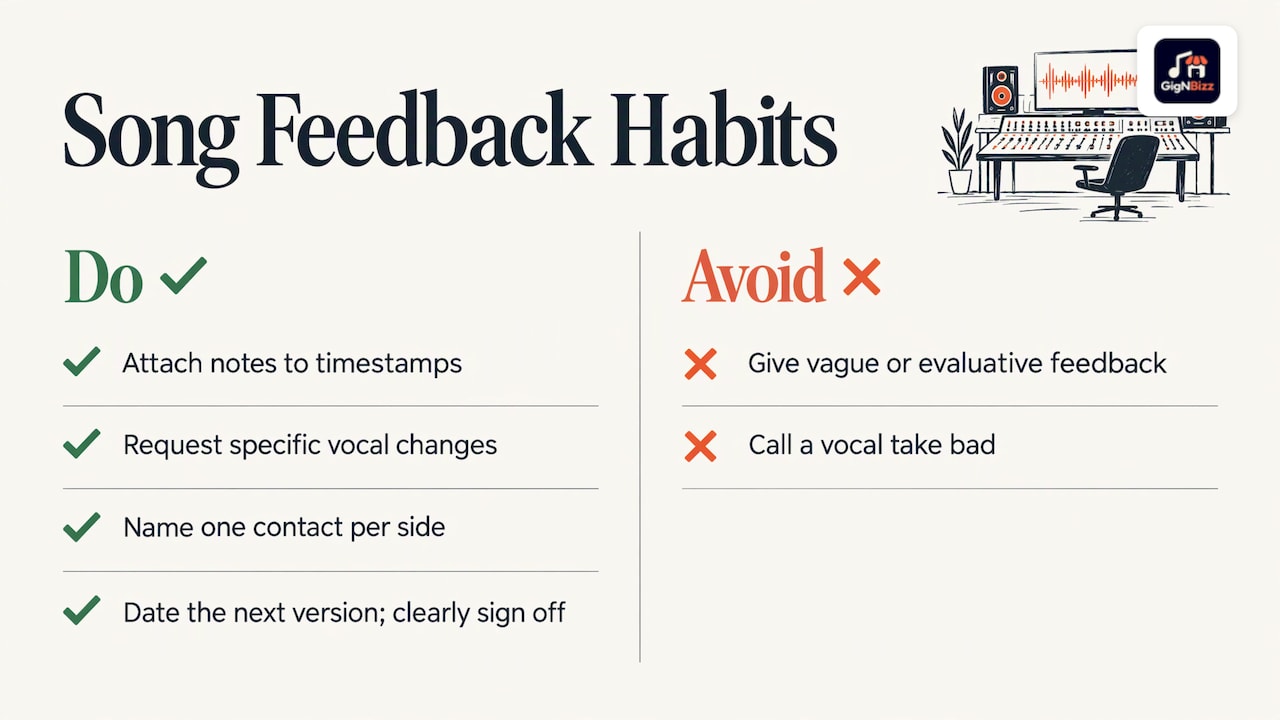
Remote work lives or dies on feedback. Three habits help.
Use timestamps. A remote mixing guide from The Empty Hall Studio recommends specific notes such as “At 2:34, kick is buried” over vague language, often using tools that attach comments to the waveform. Avid’s guide points to Dropbox Replay for Pro Tools users, where time-coded comments can be exported into the session as markers.
Be specific, not evaluative. Tools4Music notes that vocal feedback is personal. Ask for an octave change or more air rather than saying a take is bad.
Name one contact per side. The same Empty Hall Studio guide advises bands to designate one primary contact to relay notes, so feedback is consolidated and clear. This matters more as the group grows.
A simple rhythm helps: one round of notes per version, a date for the next version, and a clear sign-off when the song is done.
Protect your work before you release
This is the part people skip, and the part that causes the most arguments.
What US law says by default
The U.S. Copyright Office explains that a joint work is prepared by two or more authors who intend their contributions to merge into a unitary whole. Absent an agreement to the contrary, joint authors share equal and undivided ownership. It also stresses that these defaults are a starting point, and collaborators are free to change the allocation by contract.
Marc D. Ostrow gives a clear example in New Music USA: if four people collaborate on a song with no written agreement, each owns an undivided 25% interest in the copyright. That may not match who wrote the hook, and it may not be what anyone expected.
These are US rules. If your collaborator lives elsewhere, their country’s law may differ, so say where each of you is based in your written note.
Put it on paper
A split sheet or short collaboration agreement should record, per Orphiq’s guide to working with other artists, who wrote what, who owns the master recording, how publishing is split, who can release the track and when, and how promotion is handled. A signed PDF with the basics can prevent disputes.
TuneRegistry explains the difference: a split sheet tracks publishing ownership for registrations with rights organizations, while a collaboration agreement can cover administration and accounting. Many songs benefit from both.
Typical split scenarios
Orphiq lists common starting points. Treat them as conversation openers, not rules.
| Situation | Typical starting point |
|---|---|
| Feature performance | Original artist keeps the masters; publishing often 80/20 or 70/30 |
| True co-write | Publishing typically 50/50; masters negotiated |
| Production role | Often 2 to 5% of masters, or a flat fee plus publishing if the producer wrote |
| Remix | Usually no royalties, promotional value, or a small flat fee |
Registering the song
If more than one performer is featured on a recording, the Copyright Office’s registration help says you must answer “No” to the question about being the only author and owner. For the costs and steps, see our guide on how much it costs to copyright a song. For a dispute over a specific song or a larger deal, a music attorney is the right person to ask.
Turn online collaborations into finished tracks and local gigs
One-off projects are fine, but the strongest careers come from repeat partnerships. Octaton suggests making collaboration part of your brand and starting small with a feature, a remix, or a shared studio session to build trust.
A practical path:
- Start with a small, finishable piece. A single feature or a short cover has a clear end.
- Release it properly. Credit everyone, post it where both audiences will see it, and tag each other.
- Debrief. What worked in the process? What would you change?
- Propose the next one. A second project with the same person is where chemistry shows.
- Take it local. If you both live in the same region, a finished track gives you something to perform. A duet recorded remotely can become a live set at a nearby venue.
That last step is where online work pays off in the real world. Our posts on why networking matters for independent musicians and building a personal brand go deeper on becoming someone others want to work with, and our guide to promoting your music without a label covers what to do once the track is out.
Our perspective
Most advice about online collaboration is about gear. In our experience, the real bottleneck is people: finding someone you can trust, and being found by them.
That is why we built GigNBizz around personal connection. Every musician and song on the platform is vetted by a real person, so when you land on a profile you are hearing someone’s actual work. Profiles show talent and available gigs, so you can see both what a collaborator makes and where they play.
We also think collaboration should lead somewhere physical. Community charts, where artists climb through upvotes, reward the kind of steady, supportive participation that makes people want to work with you. The Discoverability Score helps you see how to make your profile easier to find. And because we focus on local culture, the person you write a song with online may be the person you share a stage with across town.
Our gig matchmaking and bookings are free for musicians and businesses, with no booking fees, and we never handle payments. Your collaborations and your gigs stay between you and the people you work with.
the author
Find collaborators and gigs on GigNBizz
If you are ready to put a profile in front of musicians, venues, and fans, GigNBizz is built for it. Create a musician profile, share your songs and covers, and connect with people near you. Gig matchmaking and bookings are free for both musicians and businesses.
Want more reach? Optional memberships add profile features, boosted discoverability, and promotion perks: Plus is $4.99 per month and Premium is $8.99 per month, as listed on our FAQ page. Musicians can start on the musicians page, and venues looking for local talent can see how booking local musicians works. You can also get the app.
FAQ
Can musicians really play together live over the internet?
Yes, with software built for low latency. Open-source tools such as Jamulus and Jamtaba reduce delay, and a wired connection, an audio interface, and a nearby server improve the result. For most recording projects, though, sending stems is simpler and more reliable.
How do I find musicians to collaborate with if I do not know anyone?
Join a community where musicians share finished work, and spend a few weeks commenting and contributing before you pitch. Then send a short brief with a demo link, your timeline, and what is open for discussion. Local profiles on GigNBizz let you hear someone’s songs before you reach out.
Do I need a contract to collaborate on a song?
It is strongly wise to have something in writing. Under US copyright law, joint authors share equal ownership by default unless they agree otherwise, so a split sheet or short agreement records what you actually intend. For high-stakes projects, consult a music attorney.
How should I give feedback to a remote collaborator?
Use timestamps and specific requests, such as “At 2:34, the kick is buried” or “try this line an octave higher.” Keep one contact person per side, and agree on how many revision rounds each version gets.
How do I turn an online collaboration into a gig?
Finish and release a small project first, then build a short set around it. If you and your collaborator live near each other, approach local venues with the track and a clear pitch. Venues on GigNBizz can find and book emerging artists directly.
Sources
- Ultimate Ears Pro: The Ultimate Guide to Remote Musical Collaboration
- Song.so: How to Find Musicians to Collaborate With
- Maxim Schunk: How to Collaborate With Other Producers
- OpenMusicBusiness: How to Collaborate with Other Artists
- Avid: How to Collaborate on Music Projects Remotely
- Record of the Day: Muse Sessions and remote music collaboration
- The Empty Hall Studio: Working with a Remote Mixing Engineer
- Tools4Music: How to Collab With Vocalists as a Music Producer
- U.S. Copyright Office: PRO Licensing of Jointly Owned Works
- New Music USA: Copyright Conundrums for Collaborators
- Orphiq: Finding Collaborators
- TuneRegistry: Split Sheet vs. Collaboration Agreement
- U.S. Copyright Office: Help: Created
- Octaton: Building Long-Term Relationships